
How can SharePoint improve your company’s collaboration?

How can SharePoint improve your company’s collaboration?

How can SharePoint improve your company’s collaboration?

Are you still organising, sharing, and editing your company files on a clunky, outdated legacy system? Or are you tired of emailing documents back and forth to get approvals? If so, your team is not reaping the real benefits of being more productive with SharePoint.

What is SharePoint?

According to Microsoft, SharePoint is cloud-based service, hosted by Microsoft, for businesses of all sizes. Instead of installing and deploying SharePoint Server on-premises, any business can subscribe to a Microsoft 365 plan or to the standalone SharePoint Online service. Your employees can create sites to share documents and information with colleagues, partners, and customers.

SharePoint is a cloud-based solution that allows business users to share documents and manage projects. It enables authorised users to open, review, edit, and share documents worldwide.

How can SharePoint improve your companies collaboration

But what does this really mean? SharePoint is a content management platform that encourages collaboration among teams, regardless of where they are in the world. It allows you to manage all your corporate, create websites and company intranets to keep your users informed on what’s happening, create business processes to automate some of your more mundane tasks and build customised apps that can help your teams become more productive.

Consider SharePoint your own content management system that can revolutionise how your organisation communicates, collaborates, and operates.

What are the key benefits of SharePoint?

There are a number of benefits that SharePoint has to offer your company, but we have only unpacked some of the key benefits to you and your team:

1)     Improved data management: Give access to data more efficiently, now employees can save data in a shared file that is accessible to anyone, whether they are sitting alongside you or at home.

2)     Regulatory compliance and cyber security: If you only allow authorised users to access data, SharePoint allows users to specify security settings that comply with their specific compliance regulations at every checkpoint. You can also set storage and auditing policies and actions to take when business records expire. This helps your organisation maintain compliance, all while controlling and managing business-critical information effectively.

3)     Increased productivity: Stop sending your employees down a rabbit hole to find a document, instead consolidate onto the SharePoint platform and organise each MS SharePoint site to include only the folders and subfolders you need.

4)     Improved internal communications: SharePoint allows its users to create an intranet where they, their collaborators, and even freelance clients can work securely on a file or document. A centralised admin will control access so that each user can seamlessly open, edit, and save files.

5)     Seamless integration: Not only can SharePoint online be accessed from any device, and allow you to collaborate with other team members, but SharePoint also integrates with Microsoft 365. By taking advantage of SharePoint’s ability to integrate with Microsoft 365, you can use Word, Excel, PowerPoint, or other products right from within SharePoint online, or from other collaboration tools, like Microsoft Teams, Video, Stream, OneDrive.

SharePoint gives you access to building and managing your company today and in the future, with employees at the office and working remotely. It allows your team to stay organised and always connected in one unified place.

What is the difference between SharePoint and OneDrive?

While both SharePoint and OneDrive are Microsoft products that allow for document storage, they serve different purposes and have distinctive features. OneDrive is an online folder system for file storage, but SharePoint includes other features such as collaboration, CMS, and more.

OneDrive is designed for individual use, with each user having their own personal storage space. It is perfect for storing personal documents or files that aren’t meant to be shared with others.

SharePoint, on the other hand, is designed for collaboration. It allows for creating sites and sub-sites within an organisation where files can be stored, organised, and shared.

Is SharePoint difficult to use?

It was believed to be slow and difficult to use, but the platform has transformed immensely. The platform is more user-friendly, faster, mobile-responsive, and aligns with what users are used to on the web. Users no longer need to struggle with slow load speeds and unreasonable limits. SharePoint is now better integrated with other Office 365 services, such as Teams and MS Flow, making it an integral part of digital transformation and improved collaboration.

Stay organised and connected in one place with SharePoint & Rito-Technologies

With Rito-Technologies we can help you and your team set up Microsoft 365 and SharePoint to improve your companies collaboration.


We are an experienced IT partner that can help you maximise your business output through Microsoft 365 and SharePoint. We enable our clients to optimise efficiencies with their IT Strategic Planning, which is guaranteed to increase your accessibility, productivity, and levels of communication with the right level of technology for business and potential customers.

With our free IT assessment, we can help you establish how you currently use IT in your business and the best IT solution for you. We can also identify areas for improvement as well as fill the gaps to present further opportunities for growth with an IT roadmap.

For more information about our IT assessment to help improve your company’s collaboration, get in touch with us at info@rito-tech.co.za or call us on 010 213 7016 and we will gladly assist you.

Want to keep in touch?

If you’ve enjoyed reading this blog, then sign up to receive our monthly blogs. We promise that we won’t share your email address with other business or parties and keep your details safe. You can choose to unsubscribe at any time.

How the POPI Act impacts business?

How the POPI Act impacts business?

How the POPI Act impacts business?

South Africa’s comprehensive Protection of Personal Information (POPI) Act is now in effect. It is one of the world’s most sweeping regulations around personal information and carries hefty fines for businesses that break the law. In short, the POPI Act outlines how businesses, websites and government departments can process the personal information of their customers or citizens.

What is the POPI Act?

The POPI Act is a comprehensive privacy law that is mandatory for all businesses within the private and public sector that process personal information in South Africa, according to Masthead. It seeks to protect and regulate the processing of personal information, falling into the broader Constitutional right to privacy.

It is critical that businesses establish and implement appropriate and reasonable technical and organisational security measures, and POPI related policies and procedures to maintain the confidentiality and integrity of personal information.

Data collection and utilisation is quickly becoming the foundation of organisational activities, and thus its management is gaining importance as time passes. Instacom says it is estimated that the Experian data leak alone affected twenty-four million South Africans and around 800,000 enterprises.

How the POPI Act impacts business

How to become POPIA compliant if you are not already?

This is a 10-point checklist to ensure you are POPIA compliant:

1)     Formalise your POPI Act compliance project
2)     Appoint an information officer within your organisation
3)     Perform a gap analysis versus the POPI Act
4)     Analyse what and how personal information is processed
5)     Implement POPI Act compliance policies that are enforceable
6)     Review and update your website
7)     Create (or update) your PAIA (Promotion of Access to Information Act) manual
8)     Implement POPIA compliant Personal Information (PI) management processes to develop reasonable and appropriate measures to ensure ongoing compliance
9)     Train stakeholders about their roles in POPI Act
10)  Make the POPI Act compliance ‘business-as-usual’

This Act obviously holds significant implications for all businesses, in particular those that deal with personal information, such as banks, insurance companies, healthcare, schools, and online stores. Failure to comply with the laws can result in hefty penalties; fines up to R10-million and/or up to 10 years in jail. This is why it is vital for companies to be aware of the Act and ensure that they follow the regulations properly.

The benefits of POPIA compliance for business

Complying with the POPI Act can bring several benefits for South African businesses, including enhanced data security, improved customer trust and loyalty, and reduced legal and financial risks. POPIA compliance can also help businesses avoid reputational damage resulting from data breaches and ensure they are prepared for future changes in data protection regulations.

But one of the biggest benefits, it will instil a culture of data security and data protection, making the protection of personal information within your business or organisation, your “usual way” of going about your tasks. Change in processes is sometimes difficult to achieve when staff insist on doing things the way they have always done, but the risk of a data breach and the possible flood of negative media that usually follow should inspire the management teams of businesses and organisations to action.

Protect your data, protect your customer – protect your business

With Rito-Technologies we can help you and your team set up the required security to help protect your data, your customer, and your business.


We are an experienced IT partner that can help you maximise your business output through a well-thought-out data security solution. They enable their clients to optimise efficiencies with their IT Strategic Planning, which is guaranteed to increase your accessibility, productivity, and levels of communication with the right level of technology for business and potential customers.

With our free IT assessment, we can help you establish how you currently use IT in your business and data security solution is best suited to you. We can also identify areas for improvement as well as fill the gaps to present further opportunities for growth with an IT roadmap.

For more information about our IT assessment to help protect your business, get in touch with us at info@rito-tech.co.za or call us on 010 213 7016 and we will gladly assist you.

Want to keep in touch?

If you’ve enjoyed reading this blog, then sign up to receive our monthly blogs. We promise that we won’t share your email address with other business or parties and keep your details safe. You can choose to unsubscribe at any time.
Why insurance companies are a weak target for phishing attacks?

Why insurance companies are a weak target for phishing attacks?

Why insurance companies are a weak target for phishing attacks?

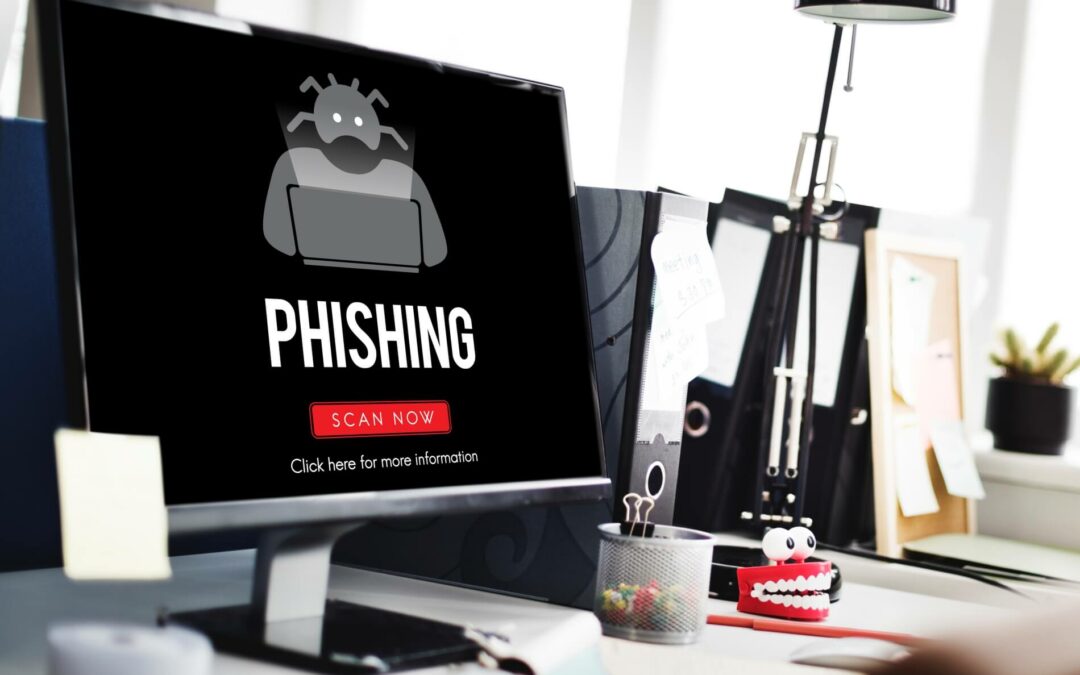
We know that cyberattacks are on the increase and a favourite and growing approach is via email, which we call phishing. With 97% of companies being targeted for phishing attacks, with one wrong click, a healthcare phishing attack can take down entire networks, encrypt files, and put patient data in jeopardy. The smartest attackers take advantage of victims by claiming to be a colleague, business associate, or other trusted source, and using social engineering to obtain information.

What is phishing?

According to Wikipedia, phishing can be described as: Phishing is a form of social engineering where attackers deceive people into revealing sensitive information or installing malware such as ransomware. Phishing attacks have become increasingly sophisticated and often transparently mirror the site being targeted, allowing the attacker to observe everything while the victim is navigating the site, and transverse any additional security boundaries with the victim.

But there are also different types of phishing attacks that have evolved, and we have included four variations below:

Why insurance companies are a weak target for phishing attacks

1.      Email phishing: The most common type of phishing, and it has been in use since the 1990s. Hackers send these emails to any email addresses they can obtain. The email usually informs you that there has been a compromise to your account and that you need to respond immediately by clicking on a provided link. These attacks are usually easy to spot as language in the email often contains spelling and/or grammatical errors.

2.      Spear fishing: Spear phishing targets a specific group, branch, or type of individual such as a company’s system administrator. In these attacks they pay attention to the industry in which the recipient works, the download link the victim is asked to click, and the immediate response the request requires making these look legitimate.

3.      Whaling: Whaling is an even more targeted type of phishing that goes after the whales, they target a CEO, CFO, or any C band within an industry or a specific business. A whaling email might state that the company is facing legal consequences and that you need to click on the link to get more information.

4.      Calendar phishing attempts to fool victims by sending false calendar invites that can be added to calendars automatically. This type of phishing attack attempts to appear as a common event request and includes a malicious link.

But why is the insurance industry under attack, specifically?

According to Votiro hackers are turning their attention toward more vulnerable targets: insurance companies. Insurers maintain a huge database of personal information about policyholders that make an enticing target for identity thieves, including names, birthdates, street and email addresses, health data, and employment data such as income. Information about policyholders’ personal property, such as homes, cars, and other valuables can also be a target.

Over the years, many insurers have invested in security tools that offer a false sense of security. In truth, attackers are advancing faster than traditional cybersecurity tools such as firewalls and anti-virus software and are now leveraging encryption and other advanced attack techniques that can evade detection.

It is also believed that many insurance companies and their subsidiary offices use outdated software, have weak internal security measures, and no standard protocols for dealing with breaches.

What are some of the key steps to take to prevent an attack?

The best way to prevent your organisation from becoming a victim of a healthcare phishing attack is to stay informed. Understanding what red flags to look out for, properly educating employees on cyber hygiene, implementing technical safeguards, and keeping up with the latest sector threats will give healthcare organisations an edge over malicious hackers.

1. Be aware: Identify common phishing email tricks and tactics. The first step toward protecting an organisation from phishing is understanding the attacker’s motives and tactics.

2. Educate your employees: The more you educate them on what to watch for when it comes to phishing attempts, the better prepared they will be to reject those attempts. A strong phishing awareness programme can save both your organisation and the safety of your clients data.

3. Scan everything: Every link and attachment that makes its way into your company, whether through email or attached to a reply on social media, should get thoroughly scanned for malicious software.

4. Back-ups: The last thing you want to do is tell your client you can’t access their files because you have been hacked, so ensure you implement a security solution that immediately backs up files when created or updated.

5. Get cybersecurity: Installing antivirus software and implementing endpoint security systems is a great place to start. Rito-Technologies provides insurance companies and brokers and other small and medium-sized companies with an all-in-one security platform.

Cybersecurity partner, ensured

With Rito-Technologies we can keep you and your team up to date with the latest phishing trends and what to look out, but with a cybersecurity solution we can also protect you from the inside-out.

Rito-Technologies is an experienced IT partner that can help you maximise your business output through a well-thought-out cybersecurity solution. They enable their clients to optimise efficiencies with their IT Strategic Planning, which is guaranteed to increase your accessibility, productivity, and levels of communication with the right level of technology for business and potential customers.

With our free IT assessment, we can help you establish how you currently use IT in your business and what cybersecurity solution is best suited to you. We can also identify areas for improvement as well as fill the gaps to present further opportunities for growth with an IT roadmap.

For more information about our IT assessment to help you get secure and free from phishing attacks, get in touch with us at info@rito-tech.co.za or call us on 010 213 7016 and we will gladly assist you.

Want to keep in touch?

If you’ve enjoyed reading this blog, then sign up to receive our monthly blogs. We promise that we won’t share your email address with other business or parties and keep your details safe. You can choose to unsubscribe at any time.

What is cybersecurity mesh and how secure is it?

What is cybersecurity mesh and how secure is it?

What is cybersecurity mesh and how secure is it?

The 2023 state of ransomware report compiled by security company Sophos noted that 78% of South African organisations were hit by ransomware in the past year. Keeping track of emerging digital threats is of utmost importance in the never-ending struggle to secure data from vulnerabilities. The need for a system that allows network operators to defend themselves against digital adversaries cannot be overemphasised. Therefore, a cybersecurity strategy is essential to achieve this.

What is a cybersecurity strategy?

The cyber threat landscape is rapidly evolving, and every business is at risk. With growing automation and more active cyber threat actors, no organisation is “too small to be a target”. Every company has data that could be of value to an attacker or that could fetch a ransom if encrypted by ransomware.

An organisation’s level of cyber risk depends on several factors. While the size of the organization and the industry in which it operates play a role, so do the corporate security strategy and current cybersecurity solution architecture.

Every company will be targeted by cyberattacks, and business continuity is dependent on an organisation’s ability to respond appropriately to these threats. A cybersecurity strategy is a high-level plan for how your organisation will secure its assets during the next three to five years.

What is cybersecurity mesh and how secure is it?

What is cybersecurity mesh?

A cybersecurity mesh (CSM) is a progressive strategy to protect computer networks from hackers. It ensures that you have more than one defense perimeter to protect the nodes within your network.

With cybersecurity mesh, you can protect technological systems managed in isolation, such as perimeter firewalls, network security devices, and security software.

You can create a Cybersecurity Mesh by designing and implementing an IT security infrastructure that is not focused on building a single ‘perimeter’ around all devices or nodes of an IT network, but instead you create a smaller individual perimeter around each access point.

Gartner predicts that by 2025, cybersecurity mesh will support more than 50% of digital access control requests.

What are the benefits of cybersecurity mesh?

  1. A standardised and responsive security approach: These are a defined set of rules for products and processes that provide consistency, accountability, and efficiency.

2. Distributed architecture that is flexible, scalable, and reliable: This allows for easier and faster data recovery after a breach that can also be scalable to the demand of the organisation or IT infrastructure.

3. Prevention from hackers exploiting different parts of a network: By ensuring that each node has its own perimeter, it allows an IT network manager to better maintain and track different levels of access to various parts of a given network.

4. Ensure compliance and security testing: In an organization where there’s a lot of work to be done, a cybersecurity mesh ensures that it is easy for you to check for security and compliance issues or have the security team be a part of the process in an automated manner.

5. Implement Zero Network Trust: Privacy is key in online interactions. When there is no privacy, your data is visible to hackers and online predators. However, with a cybersecurity mesh, you can set up a zero-trust network that only recognises the people on your team and keeps hackers from getting confidential data.

Strategic IT partners for your security

Have you got a cybersecurity strategy in place?

Team up with an IT service provider that can help you plan ahead with an IT strategic plan including a cybersecurity strategy for three to five years from now.

Rito-Technologies is an experienced IT partner that can help you maximise your business output through the cloud. They enable their clients to optimise efficiencies with their IT Strategic Planning, which is guaranteed to increase your accessibility, productivity, and levels of communication with the right level of technology for business and potential customers.

With our free IT assessment, we can help you establish how you currently use IT in your businessand what cloud solution is best suited to you. We can also identify areas for improvement as well as fill the gaps to present further opportunities for growth with an IT roadmap.

For more information about our IT assessment to help you move to the cloud, get in touch with us at info@rito-tech.co.za or call us on 010 213 7016 and we will gladly assist you.

Want to keep in touch?

If you’ve enjoyed reading this blog, then sign up to receive our monthly blogs. We promise that we won’t share your email address with other business or parties and keep your details safe. You can choose to unsubscribe at any time.

Cloud solutions enable you to work with load shedding

Cloud solutions enable you to work with load shedding

Cloud solutions enable you to work with load shedding

Overnight, we were tasked with implementing digital systems and infrastructures that would take the core operations of South African enterprises and allow them to function online and remotely. But now South Africa is faced another challenge, called load shedding. With load shedding hitting South Africa every day this year, the conversation needs to be less about moving to the Cloud but of the absolute necessity to do so to future-proof enterprises.

Load shedding gives more reasons to move to the cloud

The effects of not being hosted in the cloud can be extremely costly, for example if you are in the middle of doing your payroll and are not hosted in the cloud you will experience serious downtime and will not be able to access important data. As soon as you are hosted in the cloud the downtime will be minimised. The reason for that is the cloud hosting solution is hosted in data centre’s that have huge backup generators, which means during load shedding they will not be affected at all.

According to Louis Jardim of Turrito Networks there are three things SMMEs can do to prepare for energy disruption, he said. “Firstly, they need to move their businesses into the cloud; secondly, they need to outsource as much of their infrastructure as possible; and, thirdly, they need to develop a mobile workforce strategy.”

Cloud solutions enable you to work with load shedding

Other great benefits of moving to the cloud

The cloud’s benefits are enormous and ever-evolving agility, resiliency, flexibility, better security, increase in performance and savings in technology spend gives the potential to integrate innovation and expand the enterprise’s capabilities. The cloud is also becoming increasingly cost-effective.

The benefits we saw from the forced digital transformation will grow exponentially as companies move more of their workloads and structures to the cloud.

Accessibility anywhere, with any device: The improved accessibility doesn’t just impact employees; clients and customers can also log in to an account and access their information as well. This ensures everyone has up-to-date information whether they’re at the office or on the go.

Centralised data security: When you use the cloud, data backups are centralised in the cloud, removing the need for individual users or teams to maintain their own backups onsite or offsite. This lowers the risk of data loss should any one backup fail or be destroyed by a disaster. Cloud providers can restore the data from another copy maintained in their cloud storage, which is continuously updated with every piece of data added.

Business continuity: In the event of theft or load shedding, do you have an effective backup plan? If not, relying on cloud services can benefit your organisation. Cloud uses infinite data storage space and systems that can be activated remotely if necessary to ensure business continuity.

Cloud is greener: Cloud is a greener technology than traditional IT solutions. By moving to the cloud, businesses can reduce their energy consumption and carbon footprint by up to 90%. Rather than having in-house servers and software, businesses can use cloud-based services to access the same applications and data from any computer or device with an internet connection. This eliminates the need for businesses to purchase and maintain their own IT infrastructure.

Price-performance and cost savings: Although an initial financial investment is required to implement a cloud strategy, organisations save substantial amounts in the long run because they do not have to maintain expensive hardware or local data centres. Also, since there are no upfront costs to use cloud-based systems, businesses can assess them before investing in them immediately.

Find a skilled, experienced partner for your cloud migration

Are you ready to move to the cloud?

Moving systems into the cloud should be supported by a skilled, experienced partner for your cloud migration that can seamlessly take over your ICT requirements and manage your infrastructure

Rito-Technologies is an experienced IT partner that can help you maximise your business output through the cloud. They enable their clients to optimise efficiencies with their IT Strategic Planning, which is guaranteed to increase your accessibility, productivity, and levels of communication with the right level of technology for business and potential customers.

With our free IT assessment, we can help you establish how you currently use IT in your businessand what cloud solution is best suited to you. We can also identify areas for improvement as well as fill the gaps to present further opportunities for growth with an IT roadmap.

For more information about our IT assessment to help you move to the cloud, get in touch with us at info@rito-tech.co.za or call us on 010 213 7016 and we will gladly assist you.

Want to keep in touch?

If you’ve enjoyed reading this blog, then sign up to receive our monthly blogs. We promise that we won’t share your email address with other business or parties and keep your details safe. You can choose to unsubscribe at any time.

How to make your meetings more productive?

How to make your meetings more productive?

How to make your meetings more productive?

Decisions is purpose-built to make your Microsoft Teams meetings more productive. It lets you create a structured agenda, invite participants, record minutes, and convert talking points into post-meeting action items. As virtual meetings become a significant and permanent part of our work life, Decisions adds quite a lot of value to the overall Teams experience. 

Decisions in 4 easy steps

Step 1: Build the agenda with the Decisions Meeting Secretary, directly from Outlook and structured with topics, presenters and files.

Step 2: Prepare & collaborate by attaching documents to be presented in the meeting, capturing notes and comments from the team, and only ever having the meeting overview one click away from your calendar on any device. Then, easily record action items and decisions during the meeting.

Step 3: Keep track of time, take meeting minutes and assign tasks quickly and easily. Never have to copy and paste from the previous minutes file again. Instead, you can generate meeting minutes in Microsoft Word or OneNote, then send the documents for review before producing the final PDF-version directly from Word to send out.

Step 4: Sync tasks and decisions with Microsoft Planner to keep track of tasks, notify team members and follow up items from meeting actions using Planner and/or Excel. Meeting materials are automatically saved in the group SharePoint site for optimal document management too.

Integrates with Microsoft Teams

Decisions integrates into the existing collaborative Teams experience so that your staff can quickly and easily access lists (such as for upcoming meetings, recent meeting notes and past meeting outcomes) from tabs within Microsoft Teams.

Decisions is a Microsoft-awarded solution that powers and streamlines meeting collaboration, engagement and productivity for users of Microsoft Teams and Office 365. Thousands of customers trust Decisions for their meetings, whether held virtually, in-person or hybrid.

“Decisions is an amazing product, extremely well thought out and brings clarity to meetings.”

How to make your meetings more productive with Decision - Rito Technologies

Invest in Decisions to streamline your Teams meetings

Rito-Technologies is an Office 365 partner and a preferred supplier of Decisions to help you maximise your business output through technology. They enable their clients to optimise efficiencies with their IT Strategic Planning, which is guaranteed to increase your accessibility, productivity, and levels of communication with the right level of technology for business and potential customers.

With our free IT assessment, we can help you establish how you currently use IT in your business, and we can also identify areas for improvement as well as fill the gaps to present further opportunities for growth with an IT roadmap.

For more information about our IT assessment to help you improve your business, get in touch with us at info@rito-tech.co.za or call us on 010 213 7016 and we will gladly assist you.

Want to keep in touch?

If you’ve enjoyed reading this blog, then sign up to receive our monthly blogs. We promise that we won’t share your email address with other business or parties and keep your details safe. You can choose to unsubscribe at any time.